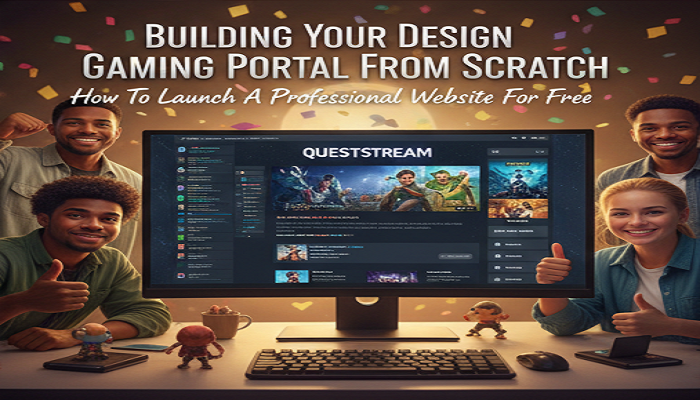
Building Your Own Gaming Portal From Scratch
Do you love playing video games online? You might want to build a fun place for others to play too. Learning how to create games site projects is a wonderful journey. Many people use automatic website builders. You can choose a better path. You can build your gaming portal completely from scratch. This means you will not use drag and drop tools. You will write the actual computer code yourself. This guide will show you exactly how to do it. You will learn the basics of web coding. You will soon have your very own arcade on the internet.
Why Build Without Website Builders
Building everything yourself gives you total control. Automatic tools often limit your choices. They might force you to show annoying ads to your visitors. Writing your own code means your arcade will look exactly how you want. It also runs much faster because there is no extra hidden code. You will learn valuable computer skills during this process. These skills can lead to a great tech job later in life. It takes more time but the result is much more rewarding. You can boast that you made every single part of the page.
Step One Planning Your Portal
Every great project starts with a good plan. Grab a piece of paper and a pencil. Draw what you want your screen to look like. Think about where your cool logo will go. Decide where the menu buttons should sit. The main area will hold the actual game screen. A sidebar could show a list of top scores or new games. Think about different categories like puzzles or action games. When you create games site designs on paper everything gets easier. Your drawing becomes your ultimate map. You will follow this map when you start typing your computer code.
Understanding The Basic Languages
Web pages rely on three main computer languages. You need to understand what each one does. They work closely together to build a complete screen. Here is a simple breakdown of these three languages and their jobs.
| Language | Purpose | Example Task |
|---|---|---|
| HTML | Structure | Creating buttons and text boxes |
| CSS | Design | Changing colors and fonts |
| JavaScript | Action | Making a game load when clicked |
Writing Your First HTML Code
HTML stands for HyperText Markup Language. It builds the basic skeleton of your gaming portal. You do not need fancy software to write HTML. You just need a basic text program like Notepad on your computer. Open your text program and type some basic tags. Tags tell the web browser what to show on the screen. You will need a header tag for your title. You will need special division tags to hold your games. Save your new text file with an html ending. You can then open this file in your web browser. You will see the plain skeleton of your new portal.
Styling Your Portal With CSS
Your basic HTML file will look very boring at first. The text will be plain black. The background will be bright white. You must add CSS to make it look like a cool arcade. CSS stands for Cascading Style Sheets. You can create a new text file for your CSS rules. Tell your CSS file to make the background dark blue or purple. You can make your title glow with bright green letters. You can add rounded corners to your game boxes. Link this CSS file to your HTML document. Refresh your web browser. Your portal will suddenly look amazing and professional.
Adding Interactivity With JavaScript
A static page is not enough for a fun arcade. Visitors need to click things. Games need to load and play properly. JavaScript brings your portal to life. You can write small JavaScript functions to hide and show different games. You can create a dark mode button that changes the screen color instantly. JavaScript can also track high scores for your players. This language is a bit harder to learn than HTML. Take your time and practice simple commands first. Many helpful tutorials exist online to teach you basic JavaScript functions.
Sourcing Games For Your Portal
A gaming portal needs fun content. You might wonder where to find the actual games. You do not have to code every single game yourself. Many generous developers offer free web games for people to use. You can search for open source game files online. Some developers provide a special embed code. This code is a small snippet of text. You paste this snippet into your HTML file. The game will then appear on your screen. You should always read the rules before using someone else’s work. Give credit to the original creator whenever possible. For extra inspiration you might read interesting tech and entertainment articles on https://primenewsmag.org/ to see what is currently popular. Knowing what gamers like is very important when you create games site content.
Testing Your Portal For Errors
Testing is a crucial part of the building process. You must click every single link on your page. You must play every game for a few minutes. This ensures everything works perfectly. Sometimes a game might freeze. Sometimes a button might do nothing at all. Finding these problems before your friends see the page is best. Ask a family member to try using your page. Watch them as they click around. They might struggle to find the play button. You can then use your CSS to make the button bigger. Good testing makes your arcade professional and fun.
Publishing Your Portal Online
Your arcade currently only exists on your own computer. You must put it on a real web server so friends can visit. This step is called web hosting. Many companies offer cheap hosting plans for beginners. Some even offer free hosting for simple web projects. You will also need a domain name. This is the web address people type to find you. Choose a catchy name that is very easy to spell. Upload your HTML files CSS files and JavaScript files to your new server. Once the files finish uploading your arcade is live on the internet.
Maintaining And Growing Your Portal
Building the portal is only the beginning of your adventure. You must take care of it so people keep coming back. Check your links every week to ensure they still work. Sometimes games break and you must fix the code. Ask your friends for feedback on your design. Add new exciting games regularly. A fresh arcade attracts more visitors every single day. When you successfully create games site hubs from scratch you become a true webmaster. Keep learning new coding tricks to make your portal even better.
Conclusion
Creating a custom gaming portal takes hard work and extreme patience. You must learn HTML CSS and JavaScript. You must plan your layout carefully on paper. You must find good games to feature. You must find a host and upload your files. Skipping automatic builders teaches you real computer skills. You will feel incredibly proud when your first visitor plays a game on your completely custom webpage. Start your coding adventure today and build the best arcade on the web!